How to Add Your Wallet to Your Forum Profile - Qualify for Premium Wallet Campaign
To qualify for the Premium Wallet campaign, please follow these steps to add your wallet to your Forum profile:
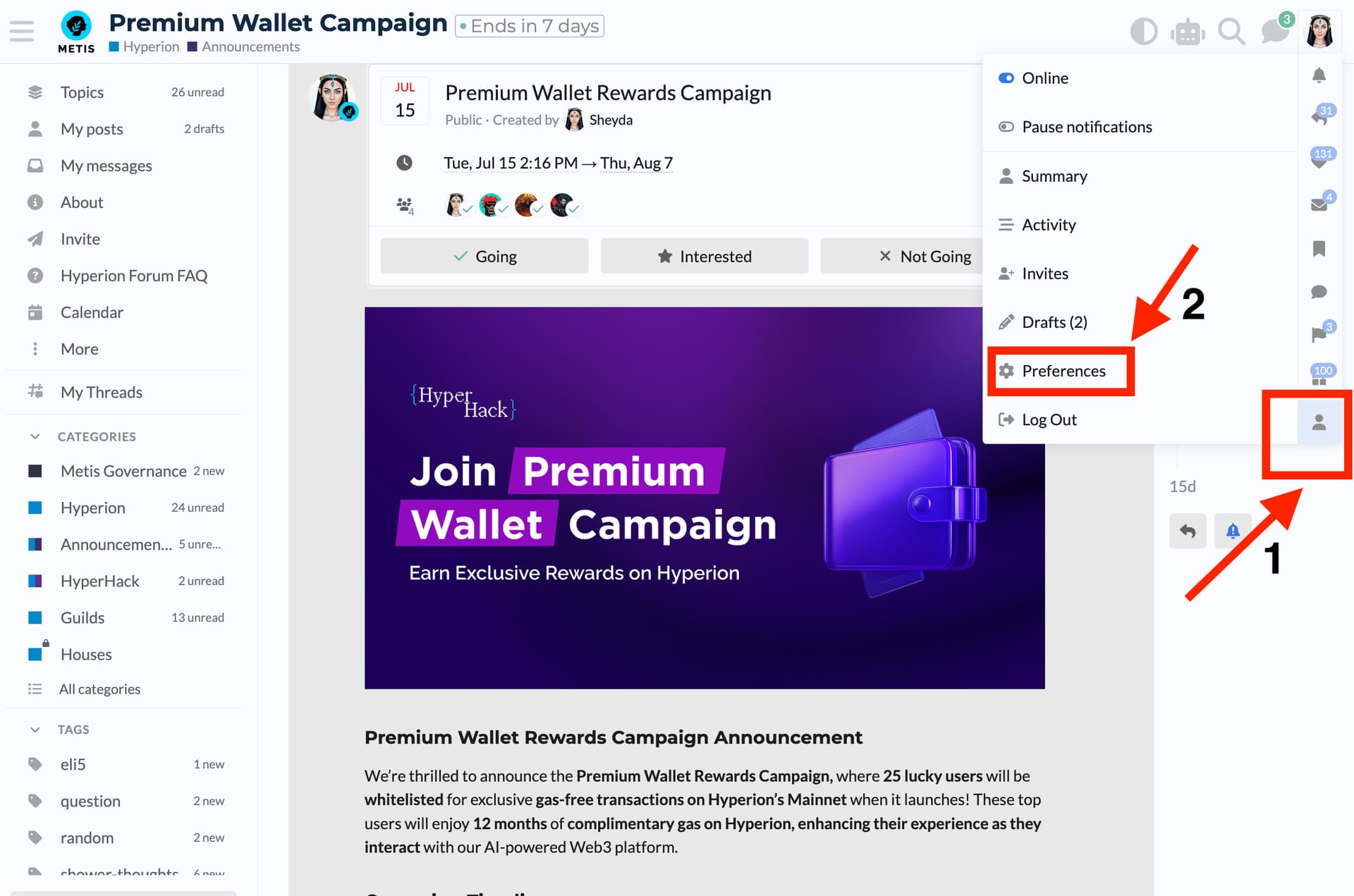
- Go to your profile in the top-right corner of the Forum.
- Click on Preferences from the dropdown menu.
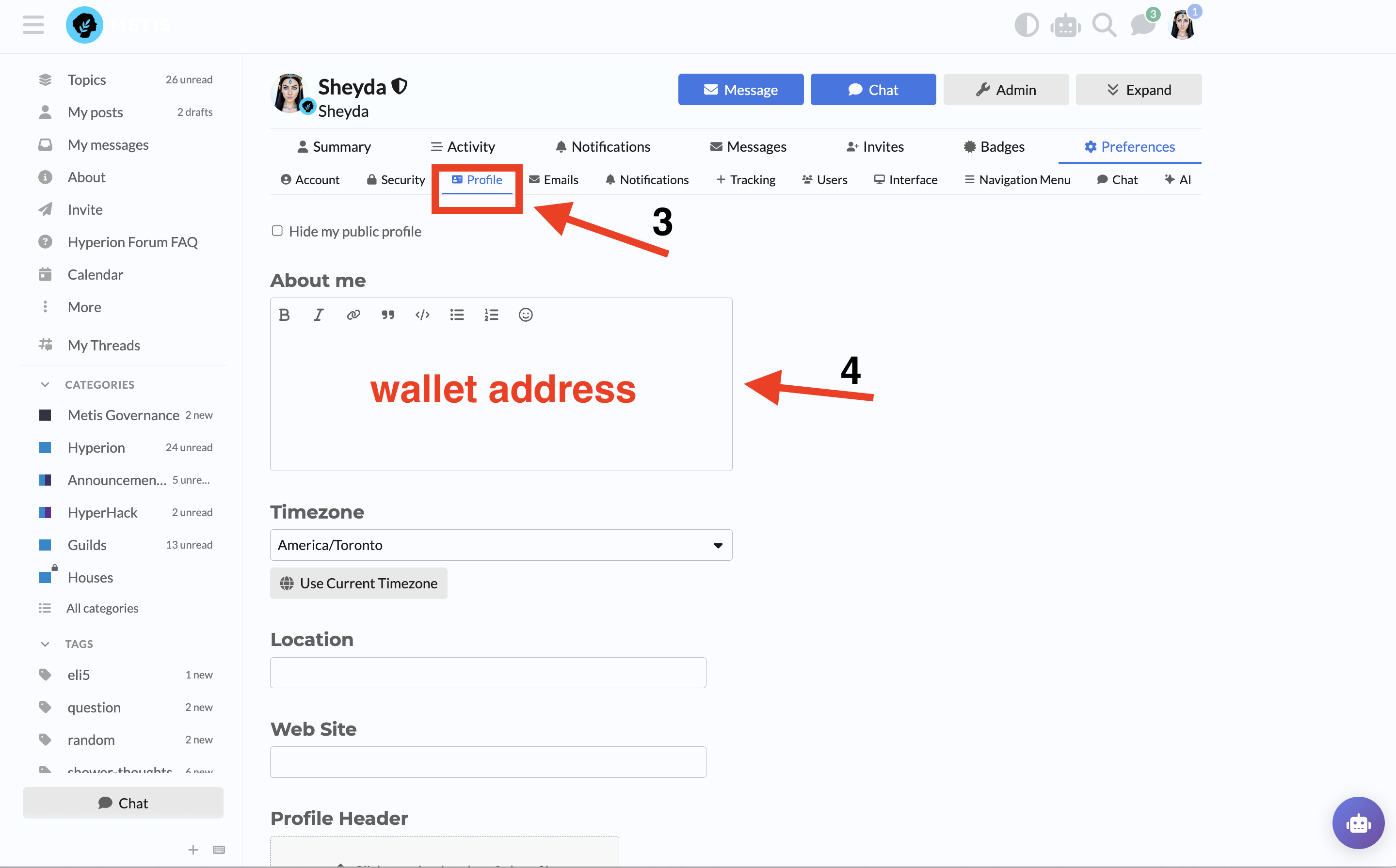
- Click on Profile from the left-hand menu.
- Add your wallet address in the “About Me” box and save your changes.
Once added, you’ll be eligible for the Premium Wallet campaign rewards. Don’t forget to keep your wallet updated!